Element: Camera
This element displays the content of a camera. The camera can be a built-in camera or some attached webcam. It can also be used to scan barcodes and QR codes.
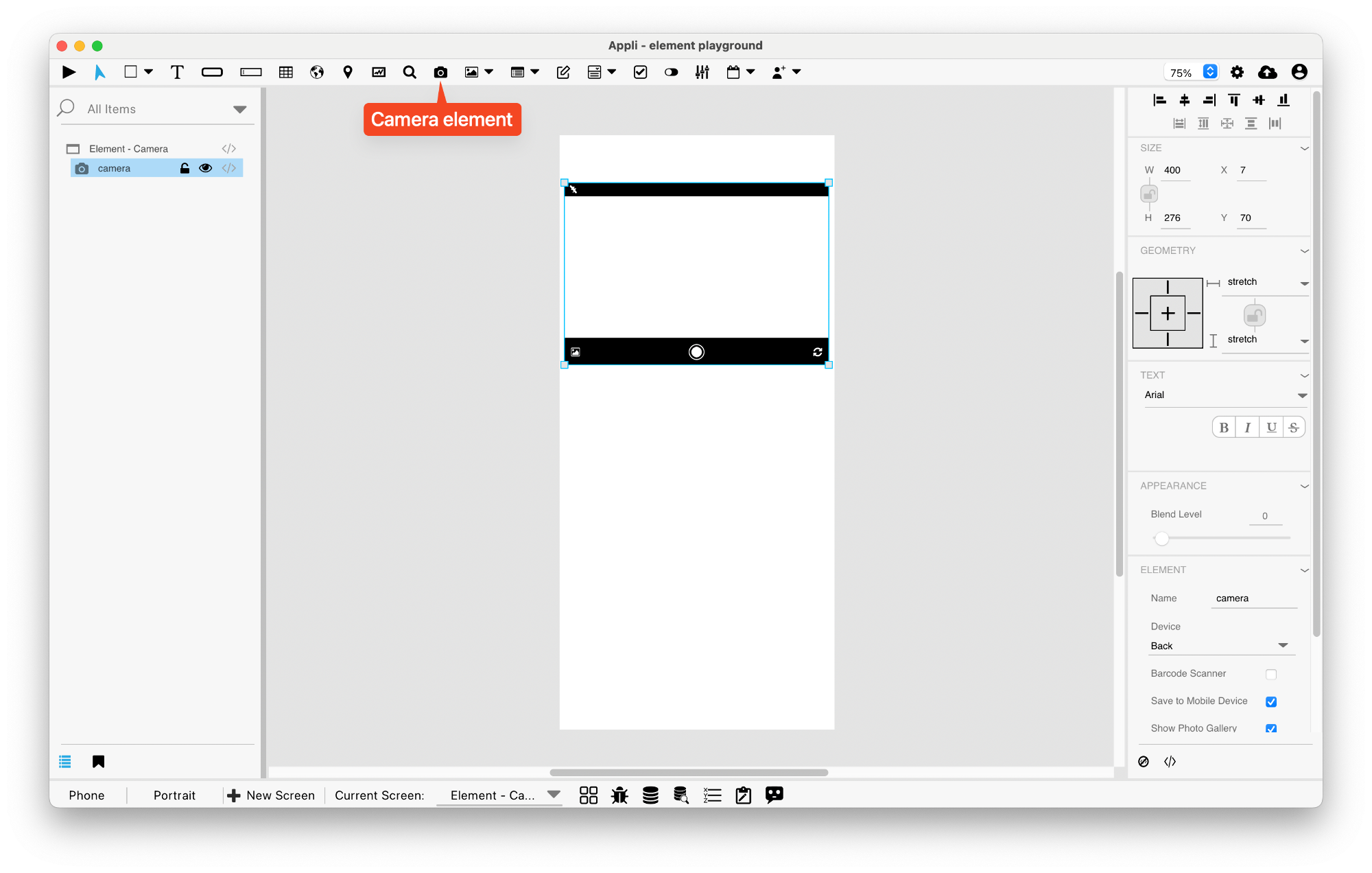
The camera element shows as a placeholder while in edit mode and will only turn on the camera or scanner when in play mode.
Extra configuration
Using the no-code properties, the developer can configure which element receives the output from the camera element.
Properties
Text Section
The properties in this section are used together with those in the appearance section to configure how the element is displayed on the screen. This section deals with the properties related to text used by the camera.
| Property | Description |
|---|---|
| textFont | The font used in the element’s text. |
| textStyle | The style used in the element’s text. It can be bold, italic, underlined, and strikethrough. |
Geometry Section
Use the properties in this section to configure the responsive design behaviors for the element.
| Property | Description |
|---|---|
| responsive | sets if the element size should be responsive. |
| responsiveX | how the element resizes responding to screen changes in the X axis. |
| responsiveY | how the element resizes responding to screen changes in the Y axis. |
| lockResponsiveAspectRatio | Locks the aspect ratio of the element. |
| allowUnderNotch | Stretch to fill notch |
Size Section
This section is used to configure the camera size and position.
| Property | Description |
|---|---|
| width | The value in pixels representing the distance between the left side of the element and its right side. |
| left | The value in pixels representing how distant element is from the left side of the window. |
| height | The value in pixels representing the distance between the bottom side of the element and its top side. |
| top | The value in pixels representing how far the element is from the top of the window. |
| lockAspectRatio | Locks the aspect ratio of the element. |
Appearance Section
This section is used to configure how the camera looks.
| Property | Description |
|---|---|
| blendLevel | How transparent the element is. |
Element Section
This section is contains properties that are specific to elements of type camera.
| Property | Description |
|---|---|
| name | The name of the element. Displayed in the project browser. |
| device | selects which camera device should be used for the camera element. |
| barcodeScanner | toggles if the camera should behave like a barcode scanner or not. |
| saveToMobileDevice | Save to Mobile Device |
| showPhotoGallery | Show Photo Gallery |
| flashMode | configures the behavior of the flash for the camera element. |
| focusMode | configures the focus for the camera element. |
This chapter was last updated on Fri 8 May 2026 15:20:15 BST